Your controller. Your headphones. One app.
Use co-Link on Windows for wireless DualSense headphone audio and rumble, Bluetooth headphone codecs, and per-codec sound tuning. The Standard app is free; preparing a compatible dongle as a transmitter is a separate step.
DualSense, without the USB cable
Connect a DualSense and listen through its 3.5 mm headphone jack while using wireless rumble. View buttons and sticks, adjust dead zones, and check battery status where available. The optional USB/IP driver is offered during installation; game support varies.
The codecs your headphones actually support
The app reads receiver capabilities and suggests a supported codec. The included codec set covers SBC, SBC XQ, AAC, aptX, aptX HD, aptX LL and LDAC; availability depends on the receiver and installed plugins. Sample rate, quality and other controls follow the selected codec and device.
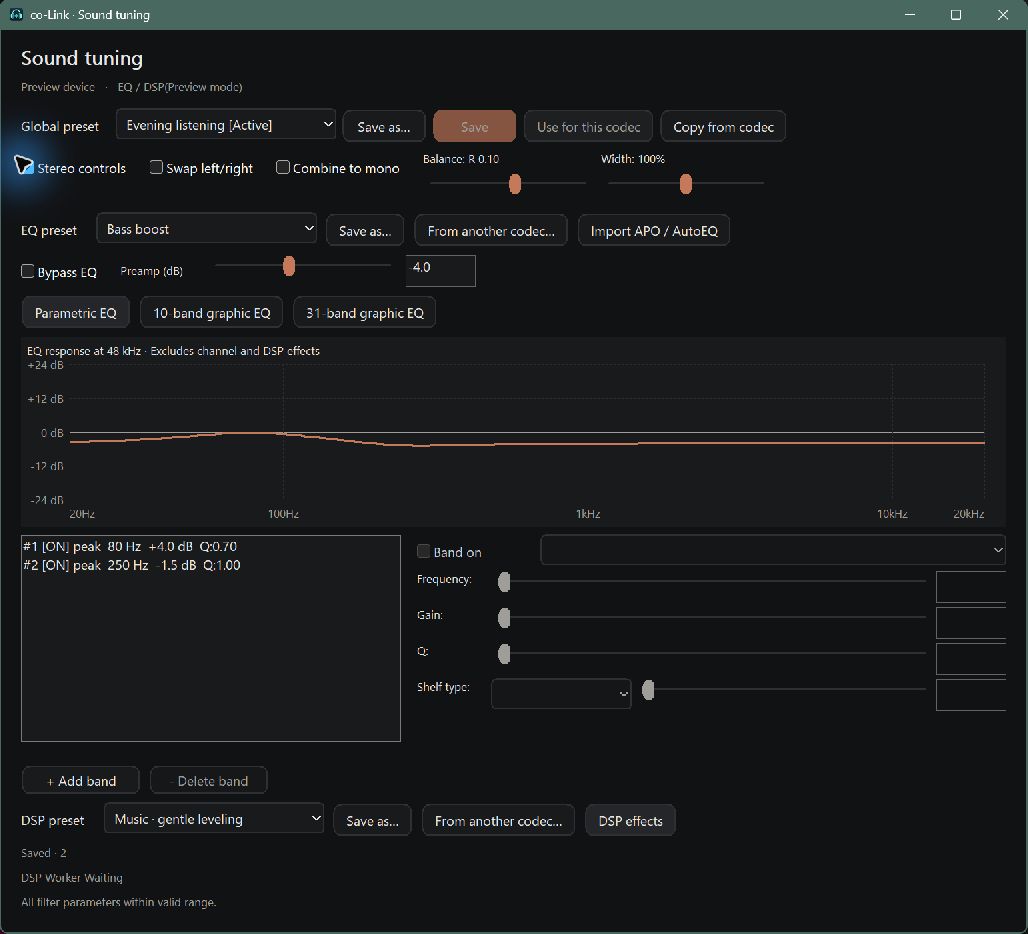
Tune the sound, not just the codec
Use parametric EQ, 10-band or 31-band graphic EQ, preamp gain and APO/AutoEQ import. Adjust balance and stereo width, swap channels or combine them to mono.
DSP includes a compressor, loudness control and a limiter, with separate DSP presets. Tuning is processed in the playback path before audio is encoded.
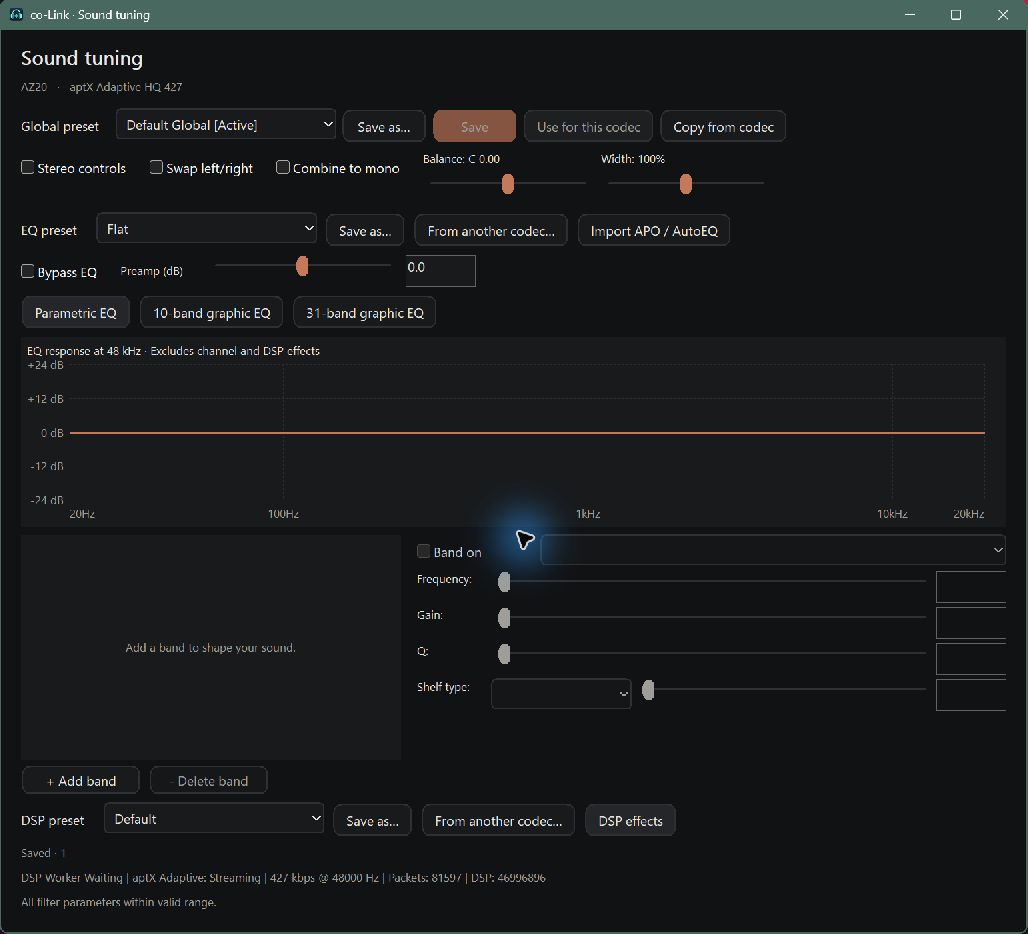
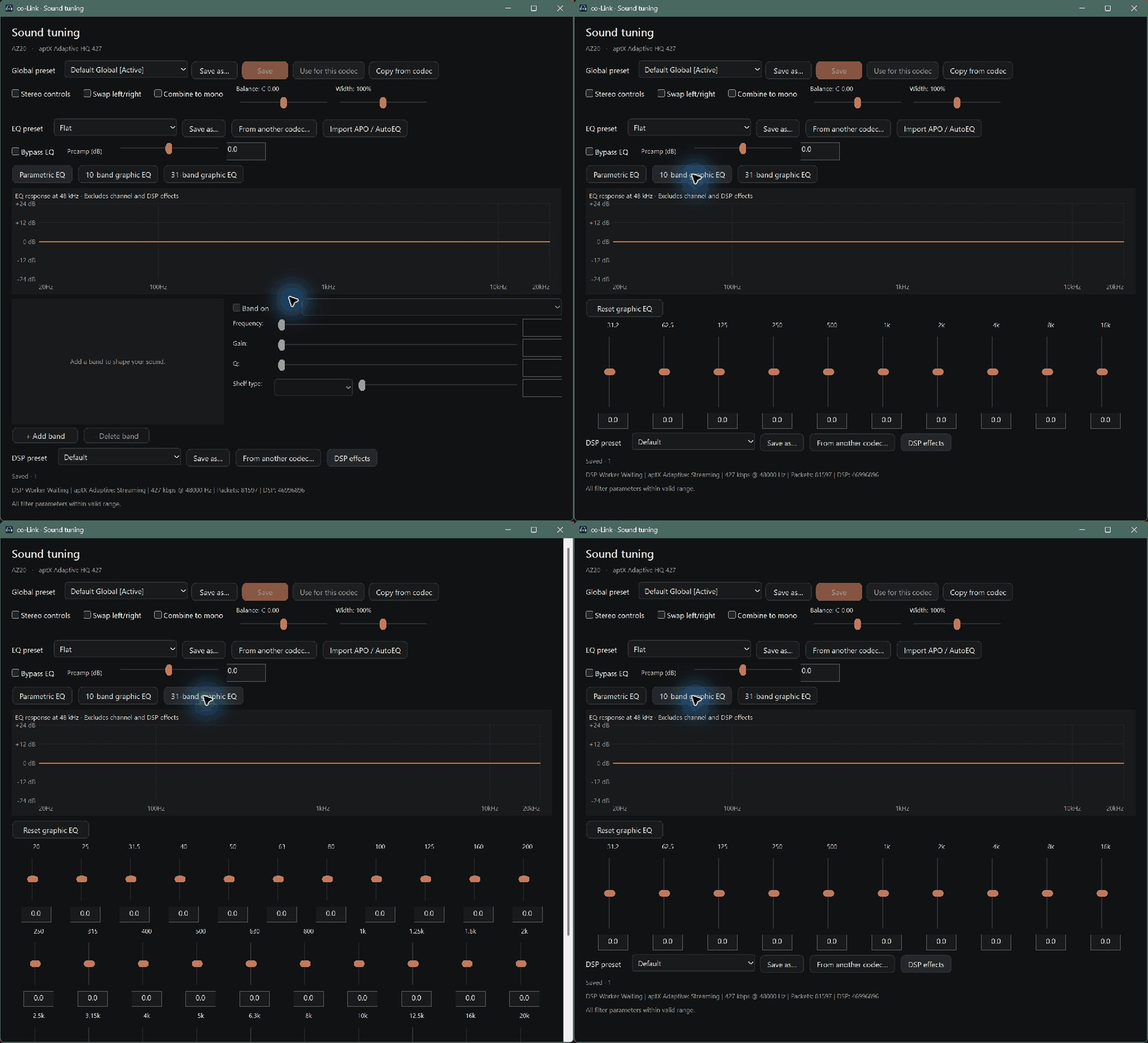
Presets at the right level
Global presets save the whole tuning setup. EQ presets live in the EQ section; DSP presets live in the DSP section. Save settings for each device and codec, then copy tuning or section presets across codec profiles.
Volume and everyday controls
Optionally link app volume to Windows volume. Linked mode uses the Windows control; unlinked mode keeps the tray app-volume popup. Choose Audio or DualSense as the startup tab, enable only the tabs you use, and switch between Korean/English and light/dark themes.
A host with codec plugins
The desktop handles devices, receiver capability checks, settings and EQ/DSP. Codec adapter plugins expose their own profiles and controls and call an encoder. Installing a plugin does not add codec support to a receiver that lacks it.
The downloadable package includes its public-codec plugins and notices, plus the Adaptive connection adapters. Adaptive original encoders, execution images and private runtime data are not bundled.
External aptX Adaptive: tested LL and HQ playback
We tested external Adaptive combinations with a KZ AZ20 using an Actions 10D7:B012 WinUSB transmitter on Windows. LL, HQ 210 and HQ 427 passed left/right listening tests. These are specific working combinations, not a claim of every receiver, 96 kHz playback or long-duration qualification.
LL uses the unchanged AKS-Logic aptx-adaptive-linux source at the tested revision, built with bitalloc-vendor. The adapter loads the separately supplied aptx_native.dll. Our successful profile was 48 kHz / 24-bit with a 278.4 kbps encoder setting.
HQ uses a separately obtained original libaptXAdaptiveEnc.so and a matching locally generated execution runtime and image. Our Windows original-call path passed HQ 210 and HQ 427 listening at 48 kHz / 24-bit. This is not a claim that the Linux QEMU helper runs unchanged on Windows.
Test references and preparation instructions
How external plugins become available
- Prepare the external files yourself. LL needs the compatible DLL build; HQ needs the original plus its matching local runtime and execution image. The setup guide explains the tools and exact tested references.
- Close co-Link and place the compatible files in the plugin folders shown below. Preserve original files; an arbitrary renamed DLL is not a compatible module.
- Restart co-Link or refresh the codec catalog. The adapter checks the external module and exposes the available profiles and settings. Missing or mismatched files leave that profile unavailable.
- Connect a receiver that supports Adaptive, select LL, HQ 210 or HQ 427, then click Apply to device. Playback status shows the active profile; its EQ/DSP settings can be stored separately.
plugins/
  pna2dp-codec-adaptive-aks.dll
  pna2dp-codec-adaptive-hq.dll
  adaptive-ll/
    aptx_native.dll
  adaptive-hq/
    libaptXAdaptiveEnc.so
    colink-external-adaptive.dll
    encoder2-pcode.image.bin
Choose a dongle for the job
A compatible transmitter must be prepared before use. Converting a dongle changes its Windows driver binding and dedicates it to co-Link; devices using that adapter can disconnect. Keep the original-driver backup and use a separate adapter if you also need normal Windows Bluetooth.
For music listening, we recommend a dongle with an external antenna. For controller use and music playback together, we strongly recommend an external antenna—treat it as a practical requirement when choosing a dongle. Conversion cannot improve the dongle’s physical radio capacity, antenna performance or interference conditions. Compact models without an external antenna may stutter depending on distance, interference and audio data rate.
Audio capture uses native WASAPI loopback and does not need a virtual audio cable. Capturing a Windows output does not automatically mute the original speakers. For controller headset audio, select the DualSense speaker endpoint for the audio you want to hear.
Ready to try it?
Download the free Standard app, follow the installation guide and prepare a compatible dongle. Optional website conversion checks compatibility and backs up the original driver before the $7.99 payment for that dongle. Verified registration allows unlimited reconversion of the same dongle.
The app is not code-signed yet; Windows may show an unknown-publisher warning. External Adaptive encoder/helper files are not included.
Some VirusTotal engines currently detect the ZIP. Microsoft Defender reported no threats, and we are not treating this as a false positive. Do not disable your antivirus to install.
Read the scan results